5.1 The User Interface
After successful login you will be taken to the Library, which will look similar to the example below:
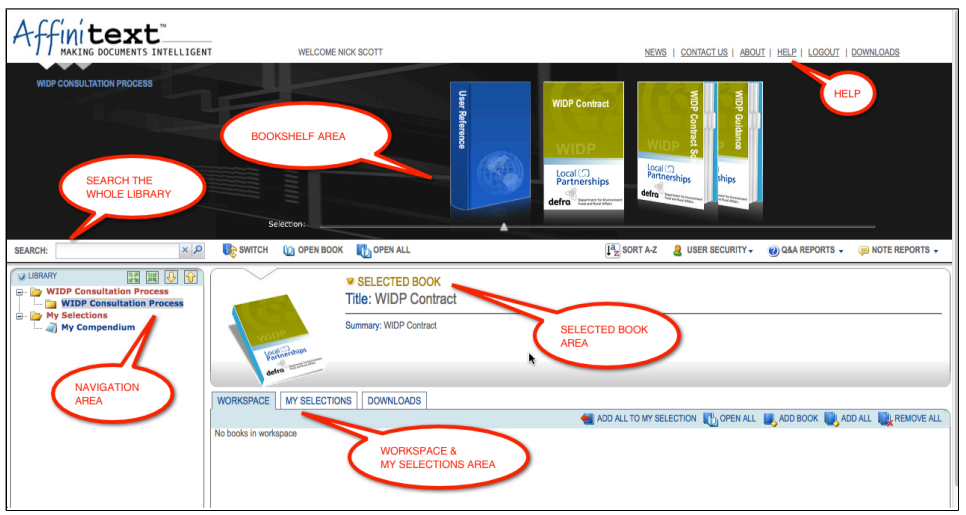
The Library shows the following areas:
- The Bookshelf Area: showing all the Folders / Books in a category (you project documents are called Books in the Library / Folders represent the different categories of documents in the Library)
- The Navigation Area: listing the categories holding Books
- The Selected Book Area: giving information about the Folder / Book selected on the Bookshelf