5.3 Navigating within a Book
Once you have opened a Book you are now in the Affinitext Book viewer. From here you can easily navigate and search the contents of the Book(s) you have opened.
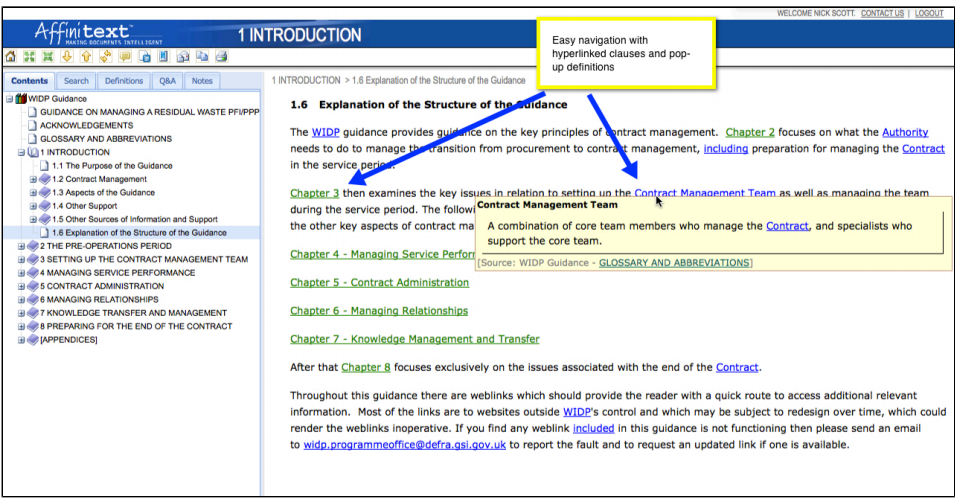
Click on the yellow up and down arrows to page turn through a document, or use the Table of Contents on the left hand side of the screen to jump straight to key clauses.
Affinitext provides hyperlinks within and across the documents so you can click on any green or red links to go straight to the related information. Just click the Back button in your browser to return to where you were before.
And last but not least, Affinitext provides pop-up definitions for all defined terms in the documentation. Simply click on any blue link to view that word's definition as a pop-up.